/// [ANIMAL GAME] DEVLOG #01: SOME PROTOTYPING
/// SYSTEM_LOG
A little bit of backstory is needed before I start talking about what I’ve begun to prototype.
/// BACKSTORY
In my Freshman year of studying game design at Azusa Pacific, my Professor/Program Director, Tim Samoff, taught my class about keeping a journal of ideas and constantly writing down ideas for games, mechanics, or really anything. The practice, which he called keeping a “Game Journal”, is common in the industry, especially with designers who constantly needed to create new ideas. This was something that I struggled with at first, but slowly tried to keep up with. I was alright at journaling my ideas, but when I entered my Senior year, all my focus went to my Senior Project, which didn’t just take over my school life, but my whole life. My days were just going to work or class in the morning, working on the project, more work or class, eating, working on the project, and then sleeping, only to repeat the cycle the next day. It took all the fun out of the design process for me and it bled into my ability to create new ideas. So I stopped journaling my ideas for a while.
To mark the beginning of a new chapter in my life (the one where I’m unemployed and trying to find a job in the game industry), I decided to start keeping a journal again. It was difficult at first, especially trying to not only find the time while working other gigs, but reopen the creative side of my brain that had to be pushed to the wayside for a while. That’s where I found myself during the summer of 2026.
/// THE IDEA
It was early June, and I had a simple idea for the story of a game based off what was happening in the world. AI was (and still is) becoming more and more prevalent and predatorial in the world, and I wanted to make a game that explored the idea of a computerized program (but not specifically AI) taking over the world and how it would change the world so that humans were no longer the dominant species.
Now, I will be the first to admit that this is a very broad and vague idea, but I wanted to start with something simple and build from there. I started by writing down a few ideas for the story and the world, but I quickly realized that worldbuilding and story was not my strong suit, so I decided to focus on the gameplay mechanics first. I wanted to make a game that focused on movement, close quarters combat, and exploration, but I didn’t want to make a game that was just a generic shooter or platformer. It had to be something that was unique and had its own identity, so I started to research and experiment with different movement mechanics that could be used in a game.
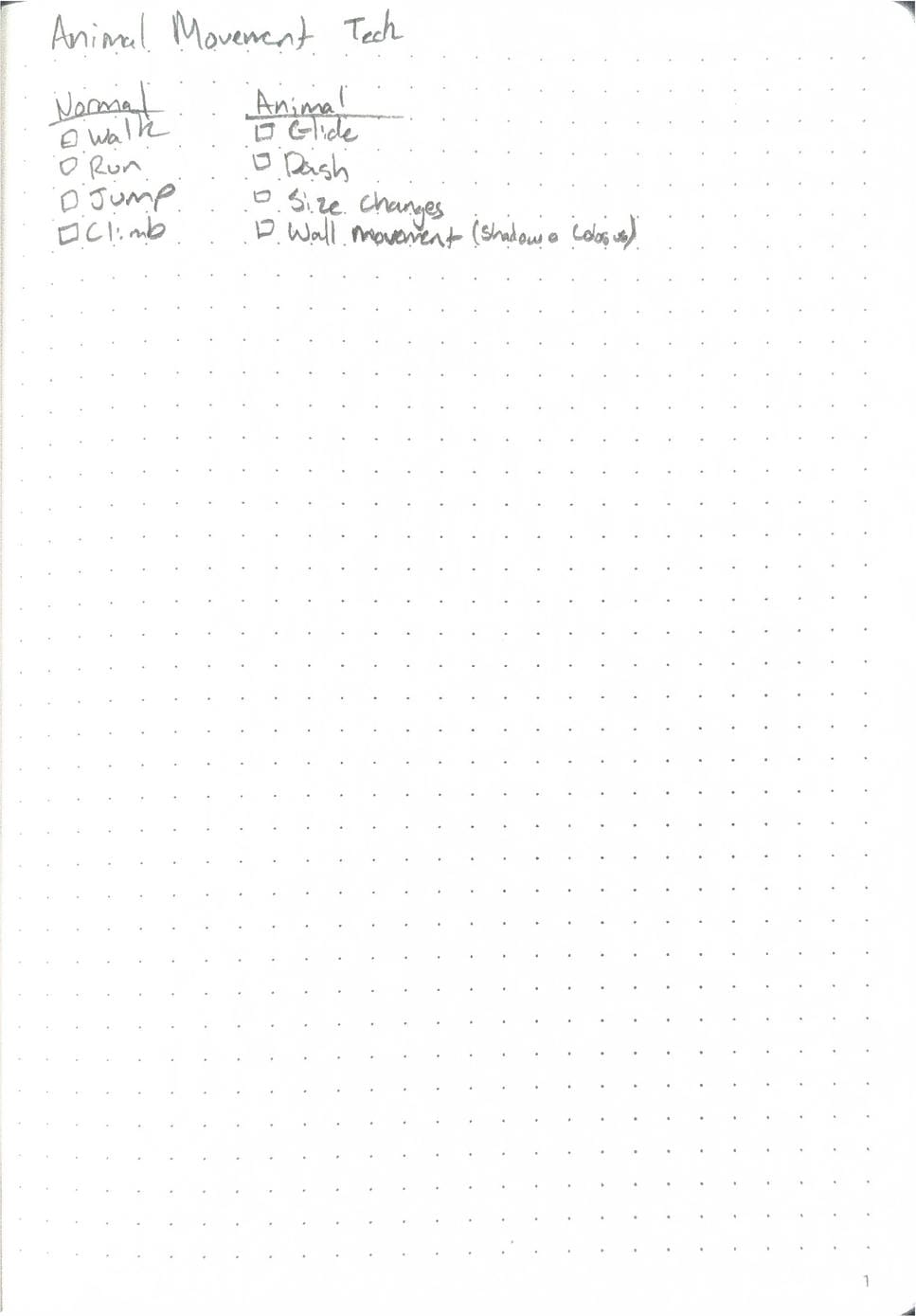
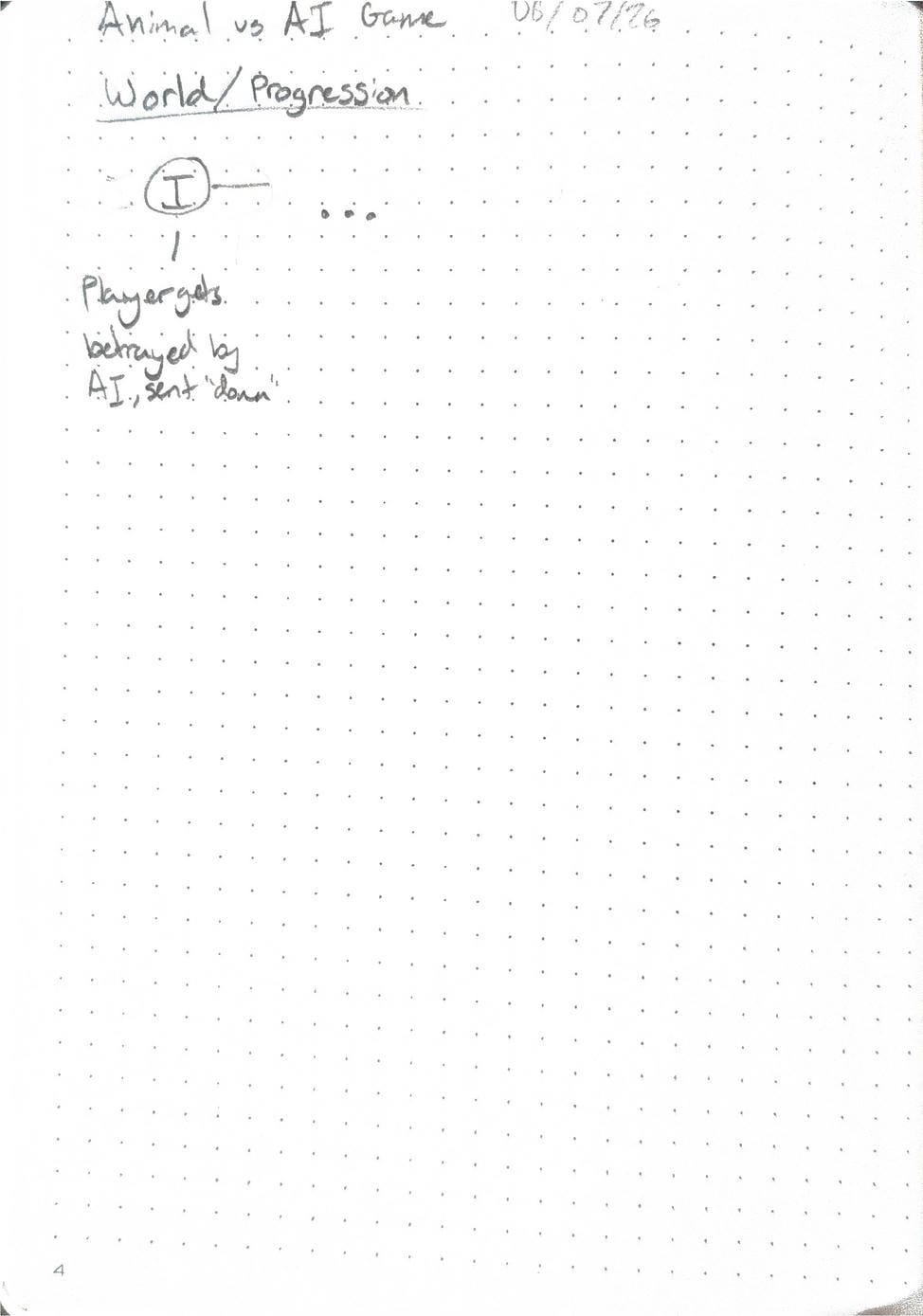
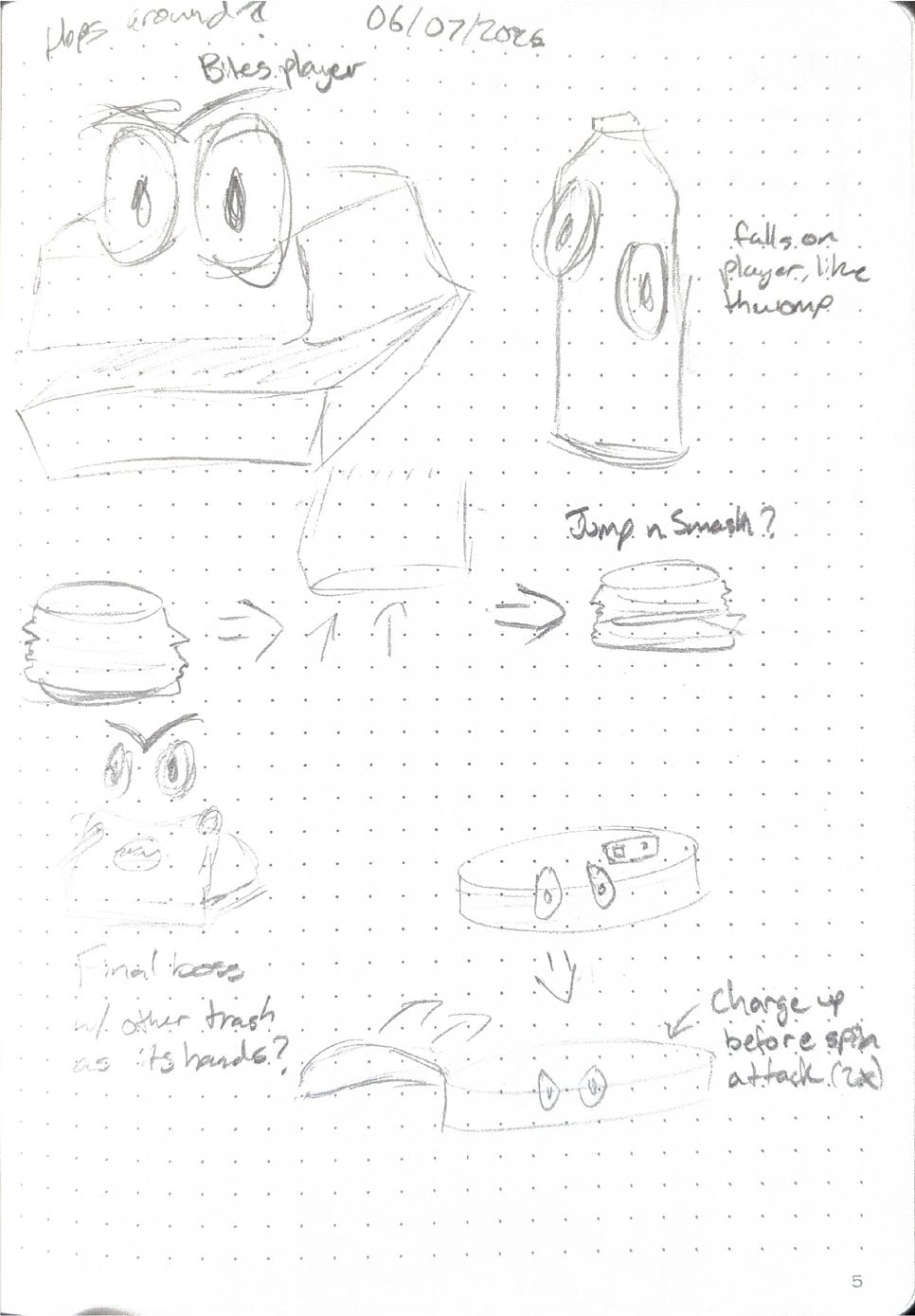
/// PROTOTYPE
The first thing I did was open up a new Unity Project and I began building a Gym scene that could be use to test out different movement mechanics (shoutout to Robin-Yann Storm for the video on Gyms and other game dev utilities). Learning from the video, every test prop has a mechanic that can be used on it. Later on when I had mechanics to test with, I color coded the different blocks so I could tell what’s possible and what isn’t (green = possible, yellow = possible but difficult, red = not possible).
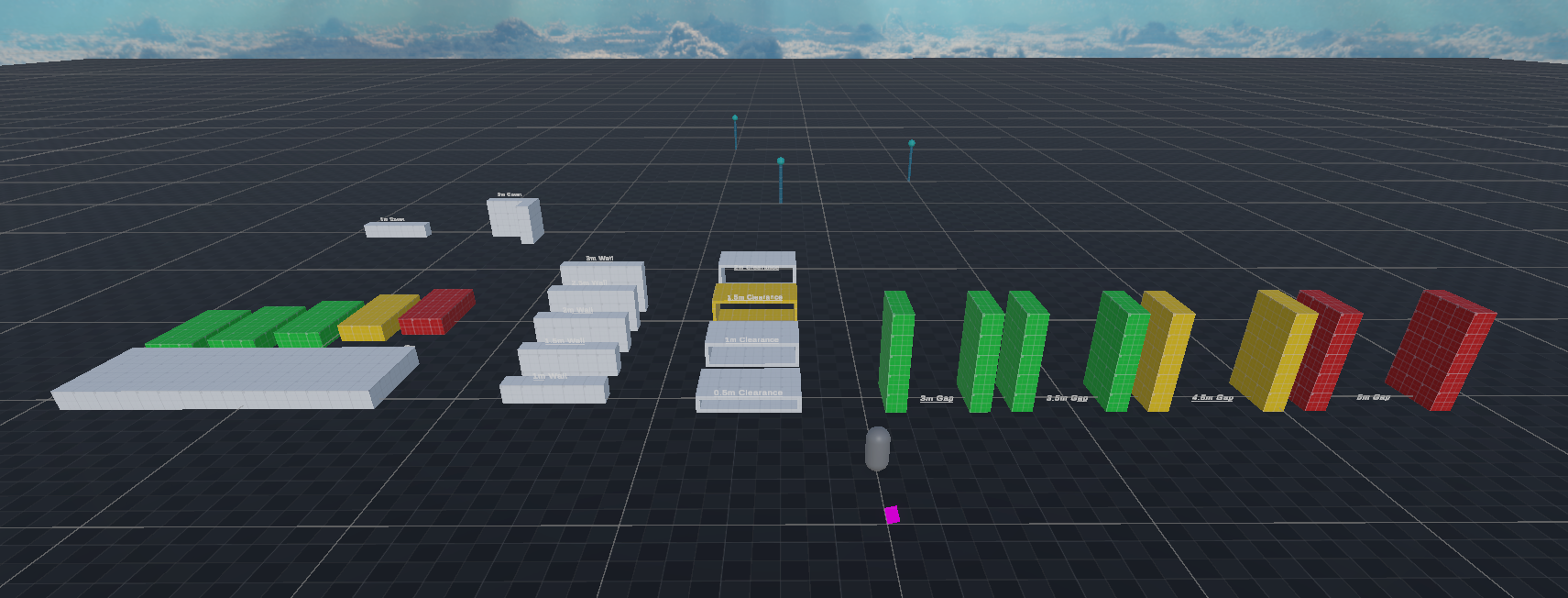
After building out an environment, I needed to start prototyping the movement mechanics that I wanted to use in the game… and I had no idea where to start. I had ideas of what to make but I had no idea how to make them. I had history making basic movement mechanics in Unity, but never anything that was as complex as what I wanted to make. After looking up tutorials on how to make movement mechanics in Unity, I quickly realized that it would either be too basic or too complex, no middle ground. So I took a step back and decided to look at one of Unity’s new template projects introduced back in version 6.3 to see how their systems worked.
/// A SHORT LEARNING BREAK
Like a gift I didn’t even know about, Unity provides every user with templates, and their “Multiplayer Third Person Gameplay” Template was a perfect way to look at how big development studios may tackle this system. Unity’s character controller system was much more complex, but that was mostly because they created it for both platformers and shooters. They also added multiplayer support with their Netcode for GameObjects system, which was something I definitely wanted to learn for this and future projects. Their system used a central ‘Brain-like’ mechanic that would orchestrate the movement of the player, and then a series of abilities with the class “IMovementAbility” would handle specific movement mechanics. The modular system, even though it was more complex than I was expecting, was honestly what I needed to make the development process easier for myself in the future.
/// HOW IT ALL WORKS
With new ideas in my head, I began the tough process of trying to implement the core of my game’s character controller in to the game. First, I created a new class called CharacterBrain that would handle the player’s movement and abilities. It holds states for the player’s movement, such as whether they are running, jumping, or anything else. From the brain, the other ability classes would be able to access the player’s state and make decisions based on that information.
public class CharacterBrain : MonoBehaviour
{
   public bool IsRunning { get; set; }
   public bool JumpRequested { get; set; }
   public bool . . . { get; set; } // More declarations
}
Each frame, the brain checks the state of the player and then calls the appropriate ability’s ProcessMovement() function to handle the movement. The order of the abilities is important, so I manually sorted them in the inspector to make sure that they we’re not only called in the correct order, but also that they wouldn’t conflict with each other.
private void Update()
{
  . . .  foreach(var ability in movementAbilities)  {    if (ability.IsEnabled)  ability.ProcessMovement();  }}
The ProcessMovement() function is purpousfully kept simple, as overcomplicating it would make it both difficult to debug, but also difficult to add new abilities as they are deemed necessary. All abilities follow the same pattern; each have a boolean IsEnabled that is checked by the brain, and then an Initialize(CharacterBrain brain) and ProcessMovement() function that handles the movement.
public class MovementAbility : MonoBehaviour, IMovementAbility
{
   public bool IsEnabled { get; set ; } = true
   // Other necessary parameters for the given ability   public void Initialize(CharacterBrain brain)   {         // Initialize the ability with the brain’s state   }   public void ProcessMovement()   {         // Process the movement for the ability   }}
One more thing I did before beginning the different movement abilities was creating a custom Editor script for the brain that would not only allow me to easily add and remove different abilities, but also act as an ‘all-in-one’ editor for the brain and its abilities. I still have each ability as their own scripts in the stack so if I need to, I can still edit them individually, but the custom editor really speeds up my workflow and makes it easier to manage the brain and its abilities. Within the editor script, I got inspired from how the Unity template handeled it so I added the same dropdown that searches for all scripts that have the IMovementAbility class and gives me the option to add and remove them from the list with a single button press. Along with that, each ability can be hidden away with a dropdown so I’m not constantly looking at a wall of text when I don’t care about 90% of it.
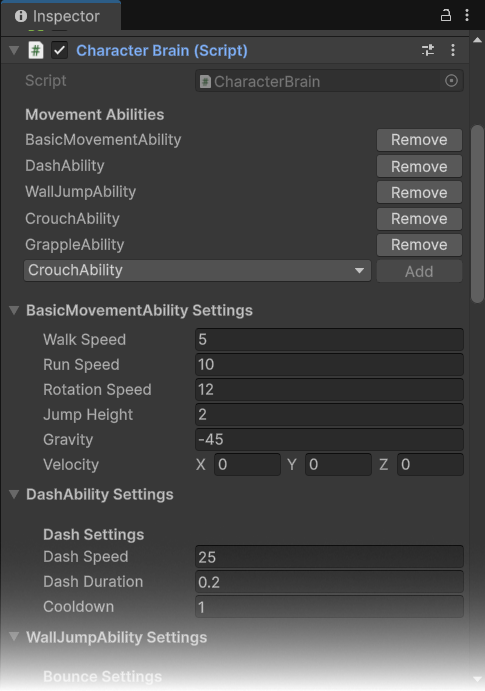
/// BASIC MOVEMENT
With these preliminary systems in place, I was able to start prototyping the different mechanics I wanted in the game. I started simple (as I was and still am always learning) with a basic movement system that allowed the player to walk, jump, and sprint. Because it was relatively simple and basic, I wanted to add some feedback to the player to make the movement feel more responsive and fun, which became a simple particle system that started and stopped based off if the player was sprinting or not.
/// DASHING
After basic movement was completed (or at least in a working state), I moved onto one of my favorite abilities in any movement game I play: the dash. Dashing was extremely simple to add; give a velocity boost in the directon of the player’s input for however long the dash is set for in the editor. Give the player some visual feedback and voilà, dashing.
/// WALLS BOUNCING
After that easy-ish task, I wanted to add wall jumping, an oddly complex system to create. Before even making the player move, I had to write a simple way of checking if the player is next to a wall and can bounce off it. It works by just shooting a raycast out from the player’s feet and if it’s within the distance and slope allowed, it’ll move to the processing. The pushing off the wall took some tinkering, but my 3D art background helped more than I would have thought. It first makes sure the player can’t jump anymore till the walljump action is performed. Then, it takes the normal of the surface the raycast hit and uses that along with a force variable that is set in the editor to push outward. It’s the same process upward, just using the up-direction of the player instead of the surface normal. After all is said and done, it looks like this!
/// CROUCHING
It might seem odd that I decided to work on one of the more basic things after some more technical abilities. It was mostly becuase I wanted to add slide mechanics, but I kept on hitting roadblocks with the sliding conflicting with the normal crouch and vise-versa. For now, sliding is a mechanic that I’m waiting on. Mostly, I just want to focus on other mechanics and then doing a polish session later on where I make all the mechanics flow better between one another.
/// GRAPPLING
The grapple mechanic was my favorite to make, but it also was the most difficult and it took the longest to figure out (about a week). It scans nearby colliders within 35 units and only filters for the Grappleable tag. If the player holds the grapple button, it’ll disable basic movements and it applies an initial vertical boost if the player is grounded. From there, it constantly accelerates the character toward the anchor point, capping at a max speed while blending in camera-relative air-strafing and gravity. If the player lets off the grapple midway/after, the airborne state applies custom horizontal drag while keeping directional air control active. It keeps scanning for grapple targets mid-air so you can chain pulls together, cleanly handing control and vertical momentum back to the basic movement code once the player is grounded. It was difficult to match the style I was basing it off of, Titanfall 2’s grapple mechanic. It still needs a lot of work, especially the transition from the air to the ground and keeping momentum alive, but it’s one of the things I’m most proud of.
WHAT NOW?
To be honest, this took so much more time and effort than I was intially planning on putting into it. New ideas are always a toss-up on if it’s going to go anywhere and to be honest, I’m still in that stage. I’ll still be working on the different ideas, but I think a bit of time away from code and ‘in-engine’ tasks will be a good source of motivation for not just the project, but also my creative brain.